

§ FAQ
Questions, answered.
The boring stuff in plain language. Still missing something? Drop us a line.
§ 01
Getting started
How do I get started with BoxMate?
Sign up for early access and we'll send you a setup link. After confirming your email you'll set your box name, timezone, and invite your first coaches and athletes — usually under 10 minutes.Do I need to migrate data from another platform?
You don't. You can start fresh and import members later. We support CSV import for athletes and class schedules; movement library and WODs are seeded with classics (Hero / benchmark) so you don't start from a blank slate.How long does it take to set up a new box?
A working box (schedule + plans + a few athletes) takes most owners under 30 minutes. Full migration with a real member roster usually fits in a single working session.
§ 02
Pricing & billing
When will pricing be announced?
Pricing is being finalized as we move through the early-access beta. We'll publish concrete tiers — and any beta-locked rates — before public launch. Until then, the /pricing page lists tiers and feature scope without committing to a number.Will there be a free trial?
Yes. Paid tiers will ship with a trial period; the exact length will land alongside pricing. Beta participants will be grandfathered into trial-friendly terms.How does billing work?
Billing runs through Stripe — credit/debit cards, SEPA, and other regional methods supported. You're charged on a recurring monthly basis (or annually if you opt in for the discount). Invoices are emailed automatically and accessible in /admin/billing.Can I cancel anytime?
Yes. Cancel from /admin/box → Subscription. You stay active until the current period ends, then downgrade to free with your data preserved.
§ 03
For athletes
Do athletes need to create their own account?
When an owner or coach invites them, athletes get a magic-link email — they set a password on first sign-in. No separate signup step, no app store dance to start.Can athletes use BoxMate on mobile?
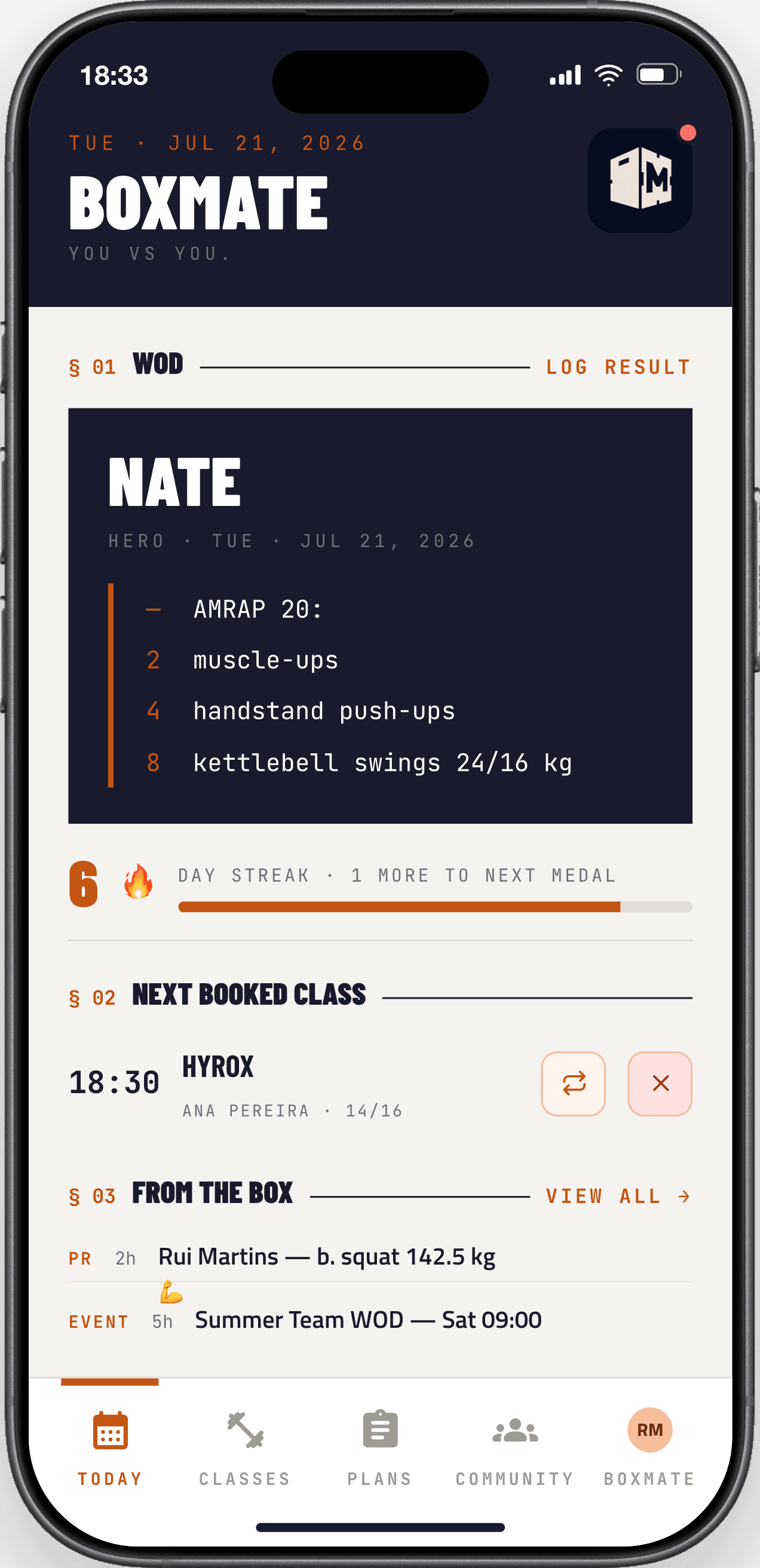
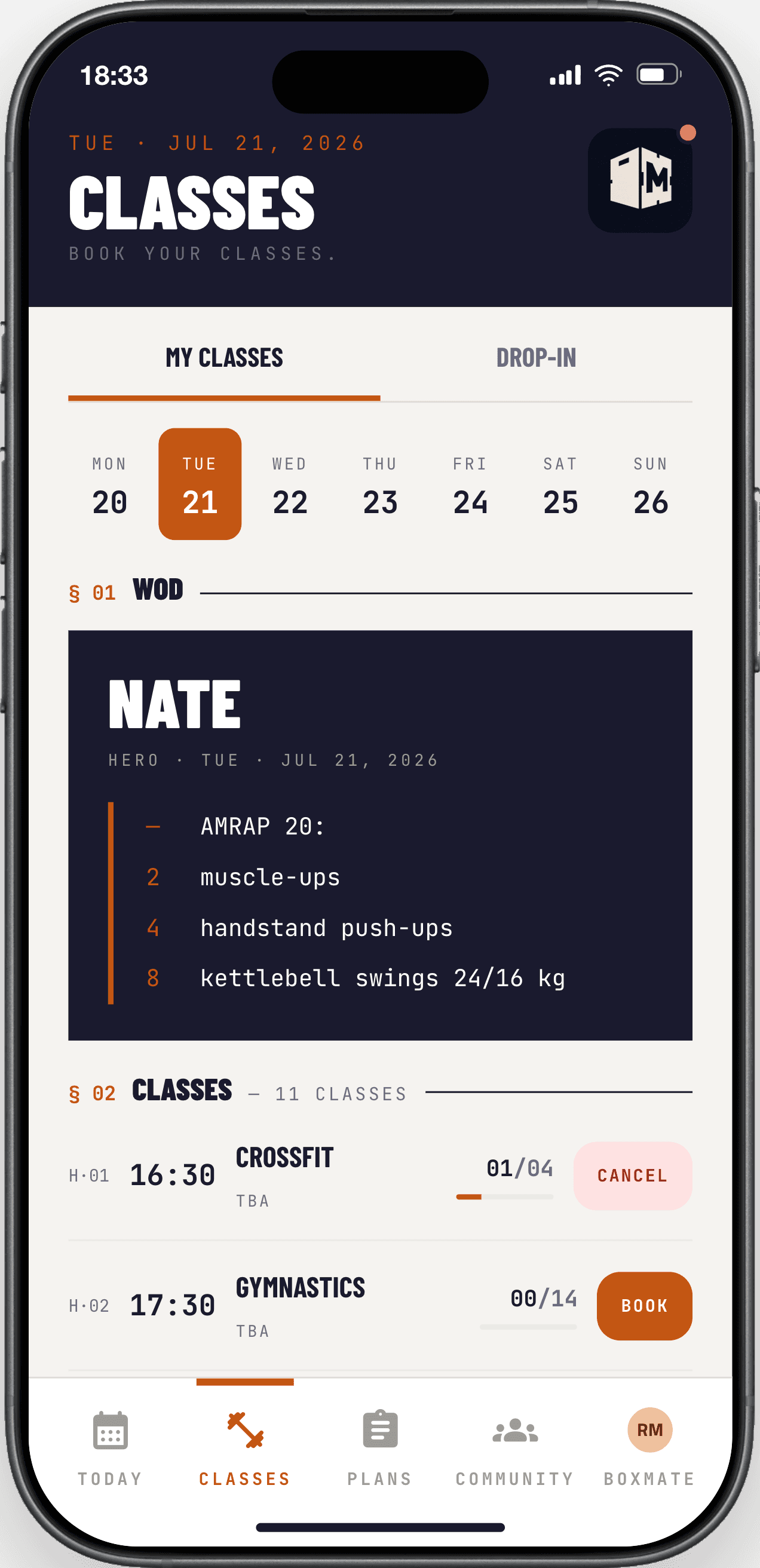
Yes — there's a native iOS app, and the web app is mobile-first. Push notifications cover class reminders, score posts, and PR celebrations.What if my coach uses a different platform?
Athletes can still create a personal BoxMate account to track WODs and PRs solo. If the coach later joins, the athlete's history follows.
※ For your athletes
BoxMate goes mobile.
Native iOS and Android apps for your athletes — today's WOD, class booking, leaderboards, PRs, and streaks in their pocket.
§ 04
For coaches & owners
Can multiple coaches share the same dashboard?
Yes. Owners assign coach roles in /admin/box → Members. Each coach gets their own permissions (programming, attendance, billing access — or any subset).Can I run multiple boxes from one account?
Multi-box is supported. Owners can create additional boxes and switch between them via the box-switcher in the topbar; coaches can be assigned to one or many boxes with per-box permissions.How does WOD posting and tracking work?
Coaches publish a daily WOD via /admin/planner. Athletes see it in their feed, can log their score, and the leaderboard updates in real time. Movement library is shared and reusable across programs.
§ 05
Data, privacy & security
Where is my data stored?
EU region (Frankfurt) on Supabase / AWS. We don't move your data out of the EU.Is BoxMate GDPR-compliant?
Yes. We follow data-minimization, give athletes a self-service export, and honor deletion requests within the legal window. See our Privacy Policy for the full breakdown.Can I export my data?
Owners can export athlete rosters, class schedules, and billing history as CSV from /admin. Athletes get a self-service export of their personal data from /athlete/profile.Is my payment information secure?
BoxMate never stores card numbers — Stripe handles all card data. We store only the references Stripe gives us (subscription IDs, last 4 digits, card brand for display).
Still got questions?
We're an email away. Tell us what's missing and we'll add it here.